Absence Calendar
The absence calendar provides a visual overview of all your employees' absences in a month.
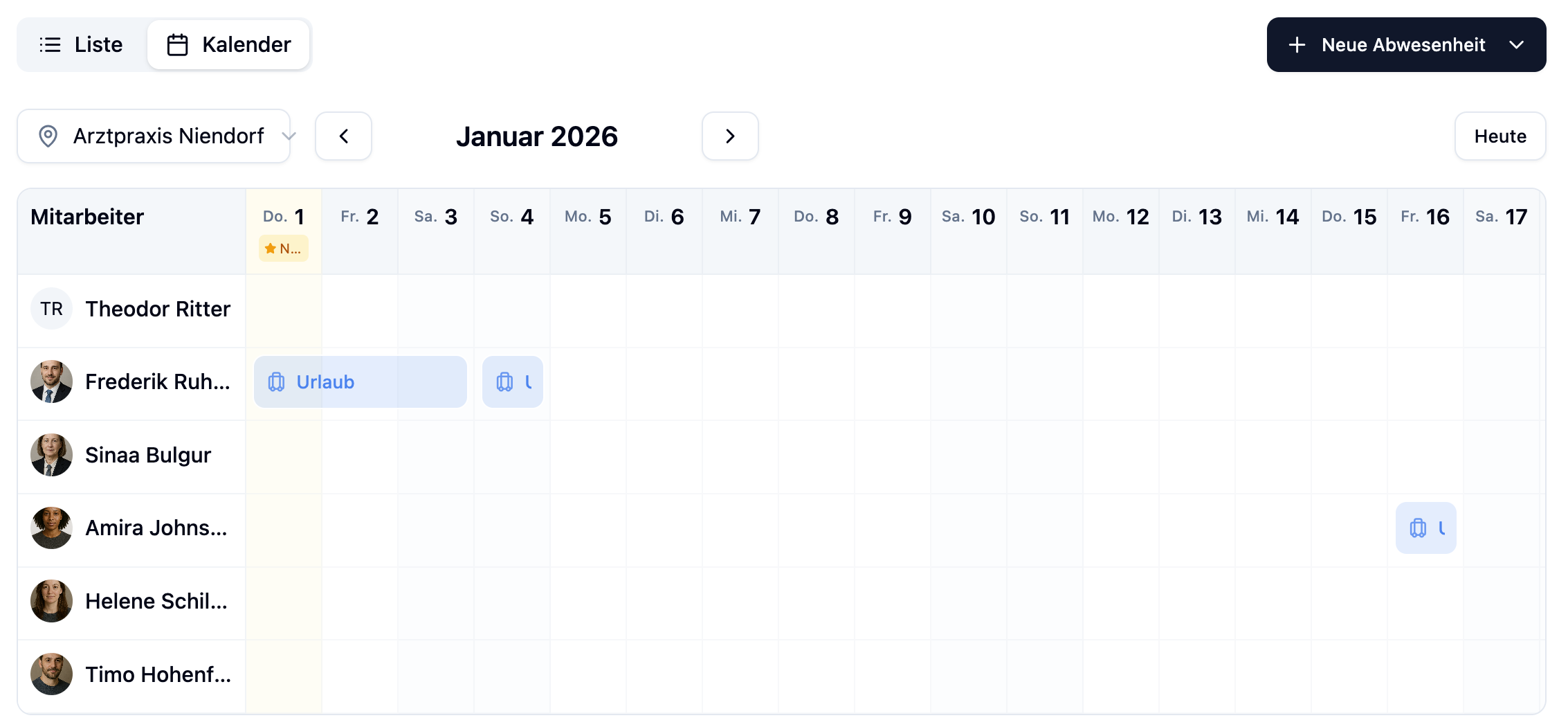
Navigation
- Use the arrows left and right to navigate between months
- Each row represents an employee
Absence Display
| Status | Display |
|---|---|
| Approved | Solid colored bar |
| Pending | White bar with colored border |
| Rejected | Strikethrough bar |
Editing Absences
Click on an absence in the calendar to edit it:
- Pending absences: Can be approved or rejected directly
- Approved absences: Can be edited or status changed
A dialog opens where you can adjust all details of the absence.
Filter Options
In the calendar view, you can filter by Location to show only employees from a specific location.
Sort Employees
You can customize the order of employees in the calendar. Click the sort icon (↕) in the calendar header.
Sort Options
| Sort Mode | Description | Availability |
|---|---|---|
| Alphabetical (A–Z) | Sorts by first name, then last name. This is the default. | All plans |
| By Department | Groups employees by department, sorted alphabetically within groups. | All plans |
| Custom Order | Set an individual order via drag & drop. | Plus / Premium |
Change Sorting
- Click the sort icon (↕) in the calendar header
- Select one of the three sort options from the dropdown
The selected sorting is applied immediately.
Set Custom Order
Custom employee order is available from the Plus plan onwards.
To set a custom order:
- Click the sort icon (↕) and select Custom Order
- A side panel opens with the employee list
- Drag & drop employees into the desired order
- Click Save
The custom order is saved per location and per browser. Other users see their own individual order.
Click Reset to revert the order back to alphabetical sorting.
Frequently Asked Questions
Why don't I see the "Custom Order" option?
Custom order is a Plus feature. If you're on the Free plan, clicking this option will show you an upgrade prompt.
Does my sorting persist when I switch browsers?
No, the sort setting is stored in the browser. If you use a different browser or device, you'll need to set up the order again.
Do other administrators see my sorting?
No, each user has their own sort setting. Your individual order is only visible to you.
Summary
| Feature | Description |
|---|---|
| Calendar View | Visual monthly overview of all absences |
| Status Display | Colored bars for approved, pending and rejected |
| Sorting | Alphabetical, by department or custom order |
| Custom Order | Drag & drop sorting per location (Plus/Premium) |
| Filter | Filter by location |